

AVAILABLE ON GOOGLE PLAY
OVVOS TV for Android TV and Google TV.
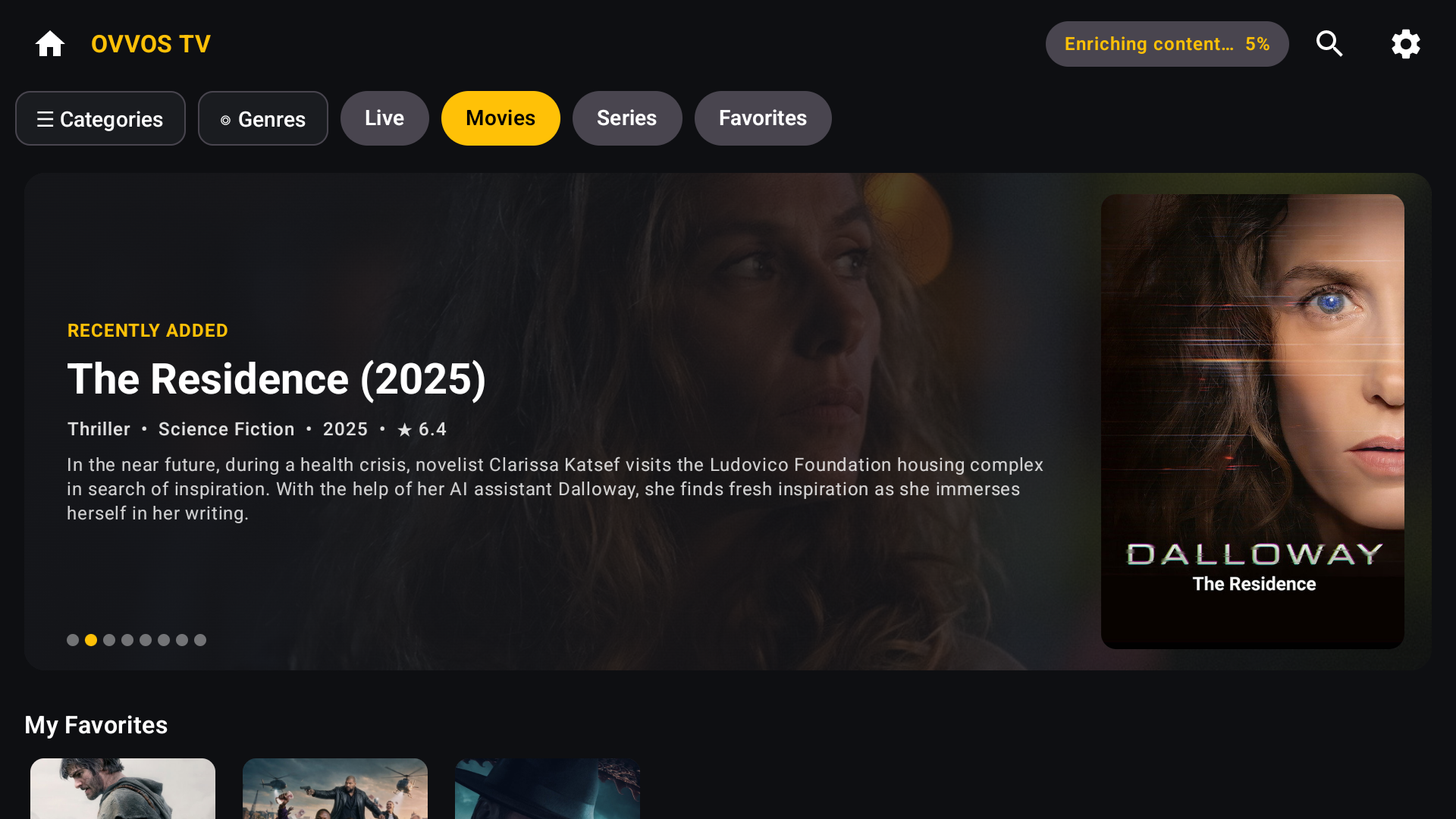
An IPTV player built for the remote first. Install it from Google Play on your TV, sign in with your provider's details and browse your library with a clear gold focus ring on everything.
Works on
TVs running Google TV · Android TV boxes · Nvidia Shield · Chromecast with Google TV · Xiaomi Mi Box · any Android TV device on Android 9 or newer.
Not supported
Fire TV via Amazon's store, Samsung Tizen, LG webOS, Hisense VIDAA and Roku. Tell us which you want →
Safe to install
From Google Play, signed by Play App Signing and scanned by Play Protect. No APK, no sideloading, no unknown sources.
ABOUT FIVE MINUTES
Set up OVVOS TV on your TV.
Open Google Play on your TV, search for OVVOS TV and install it. Then follow the screens below with your remote.
-
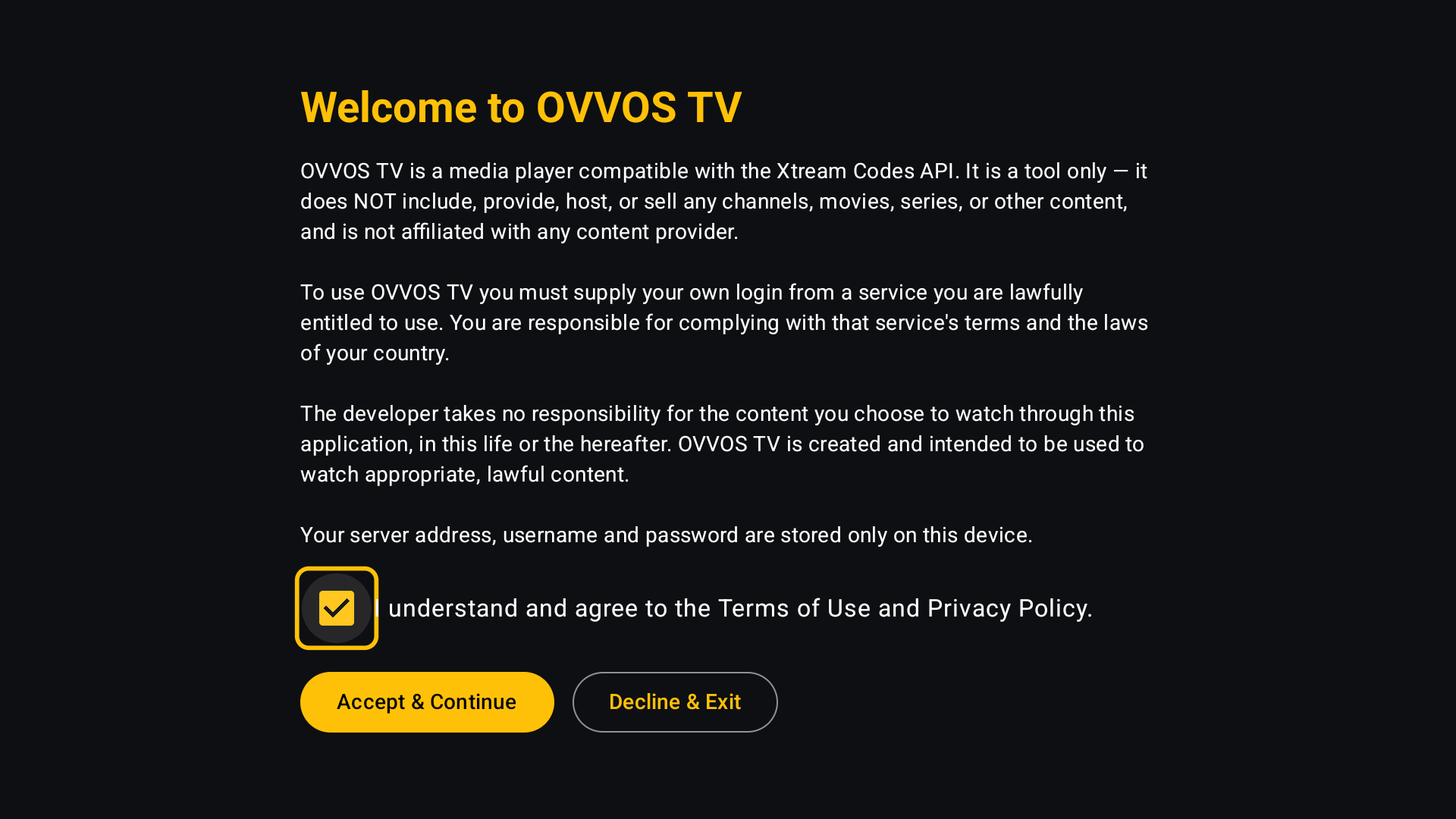 01Accept the player noticeOVVOS TV is a player and includes no content. Tick the box and choose Accept & Continue.
 -
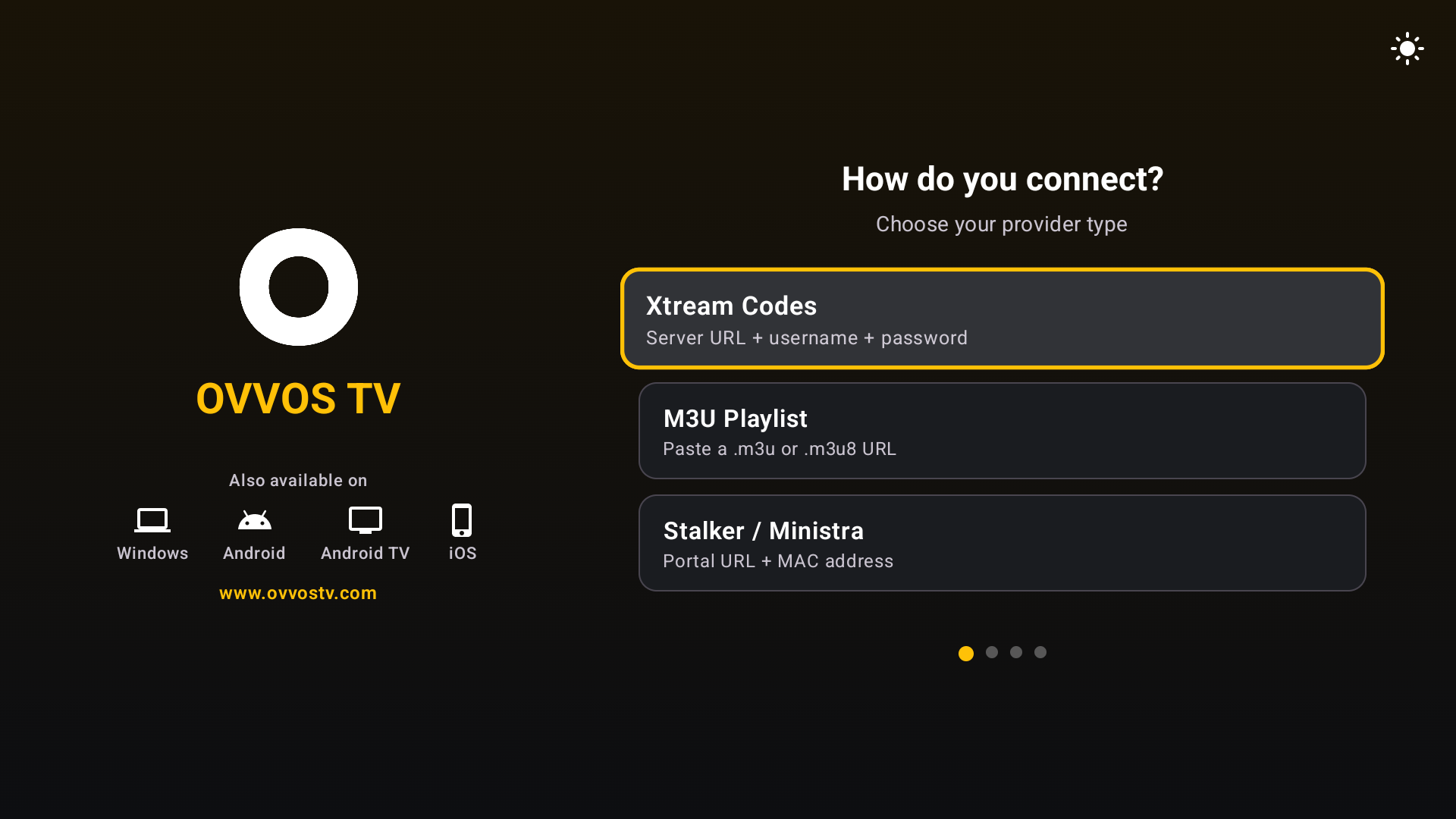 02Choose how you connectXtream Codes, M3U Playlist or Stalker / Ministra.
 -
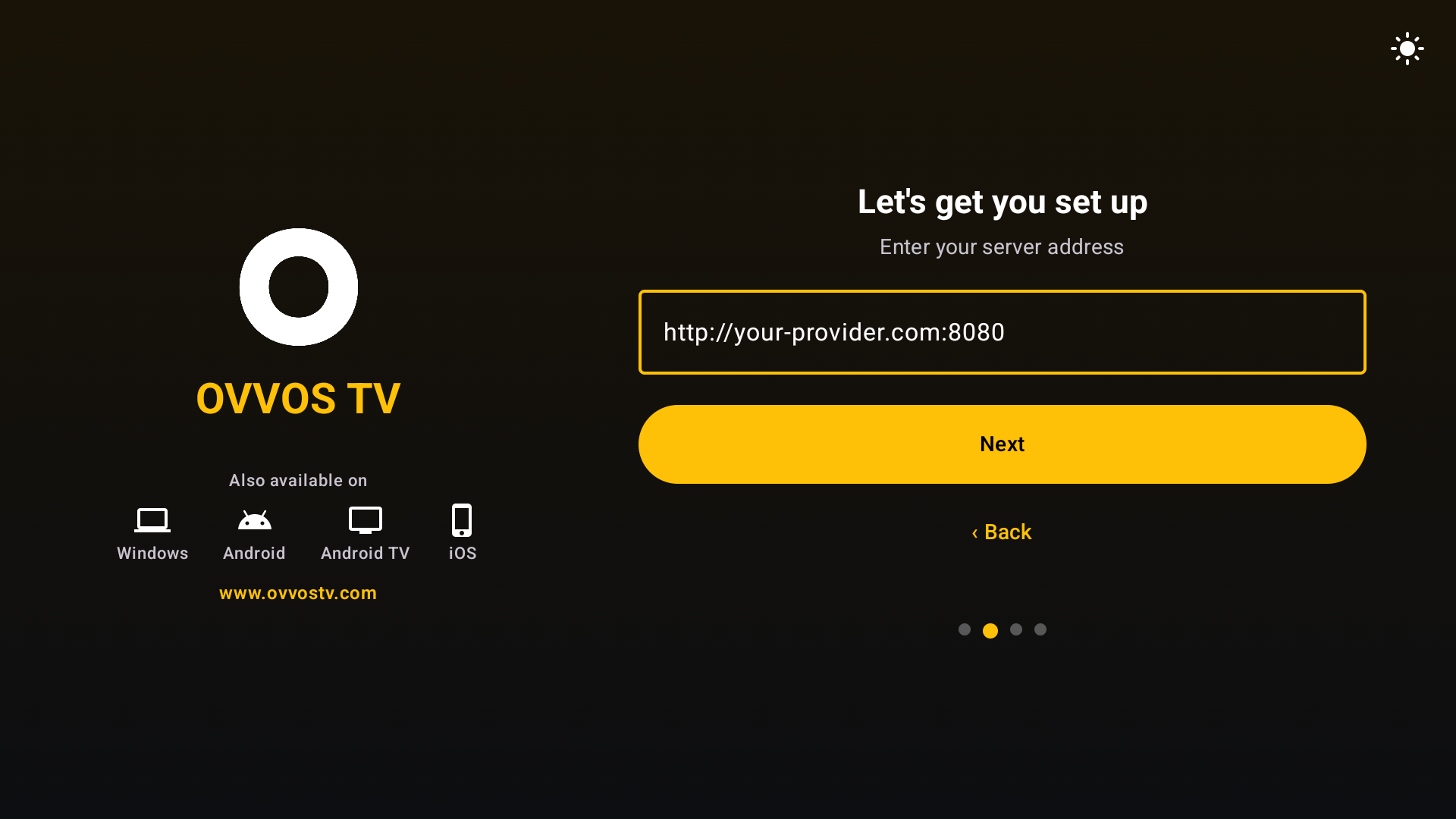 03Enter the server addressExactly as your provider gave it, including the port.
 -
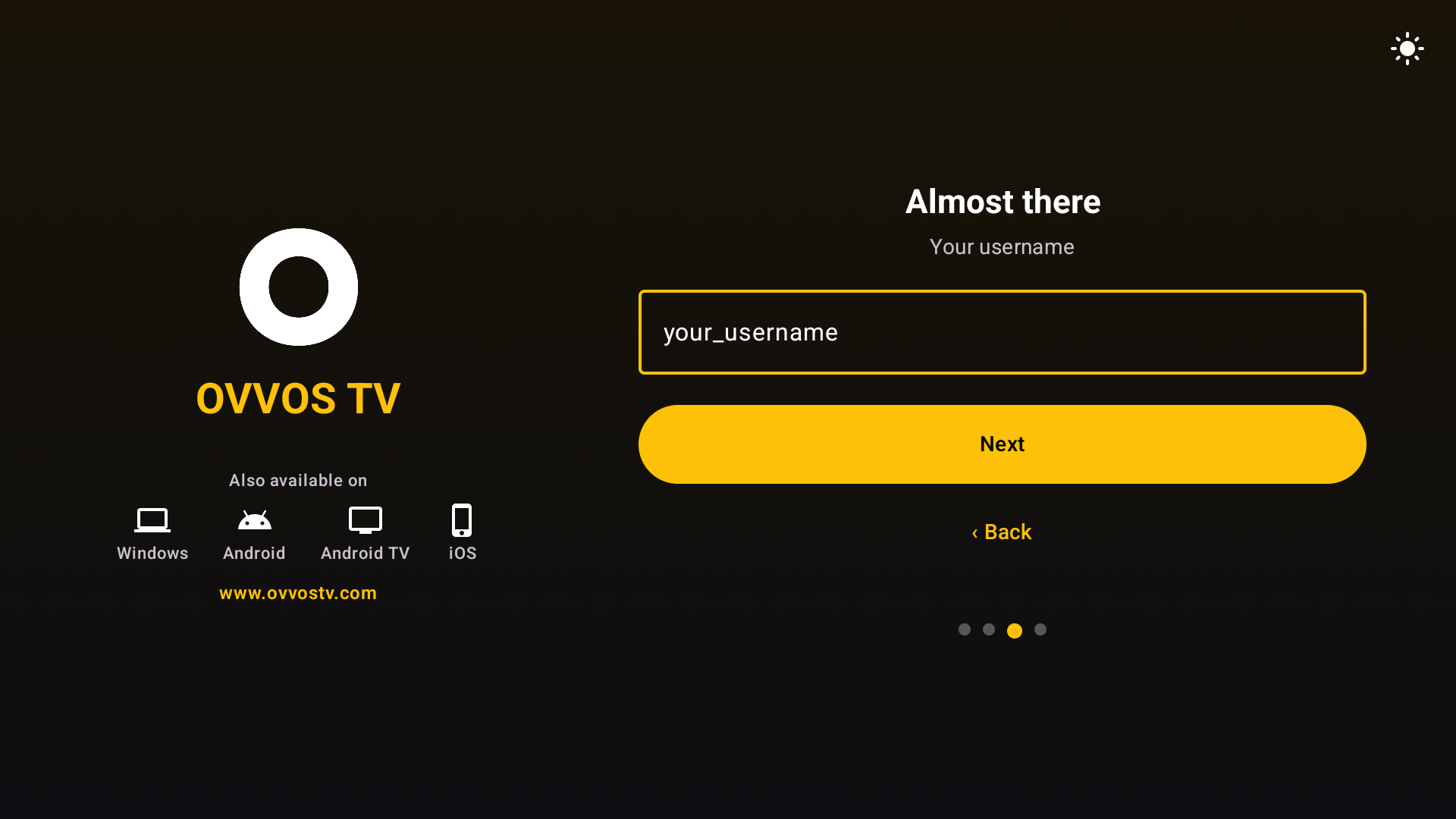 04Enter your usernameProgress dots show which step you are on; Back goes one step.
 -
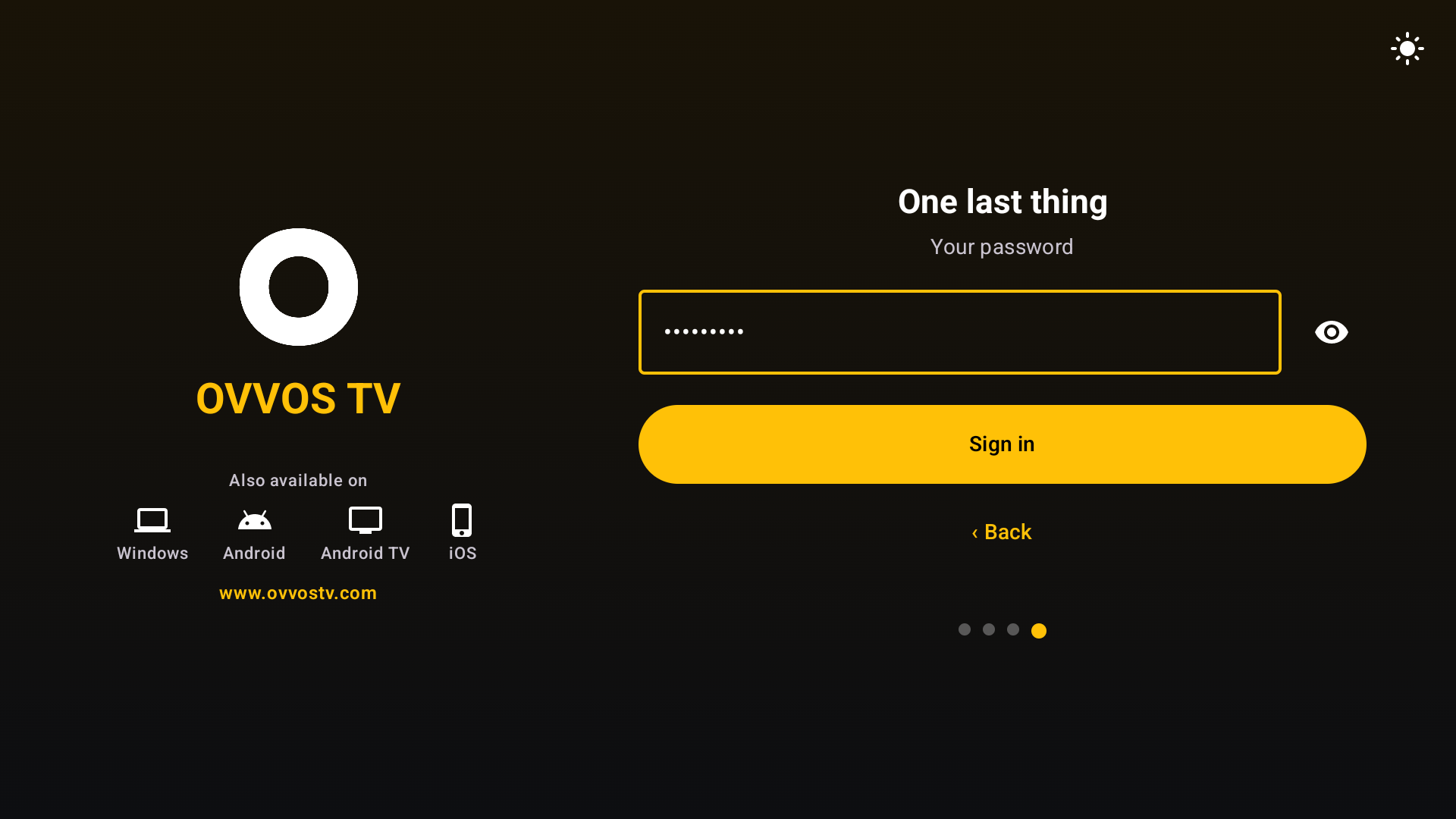 05Enter your passwordUse the eye to check it. It stays on this device only.
 -
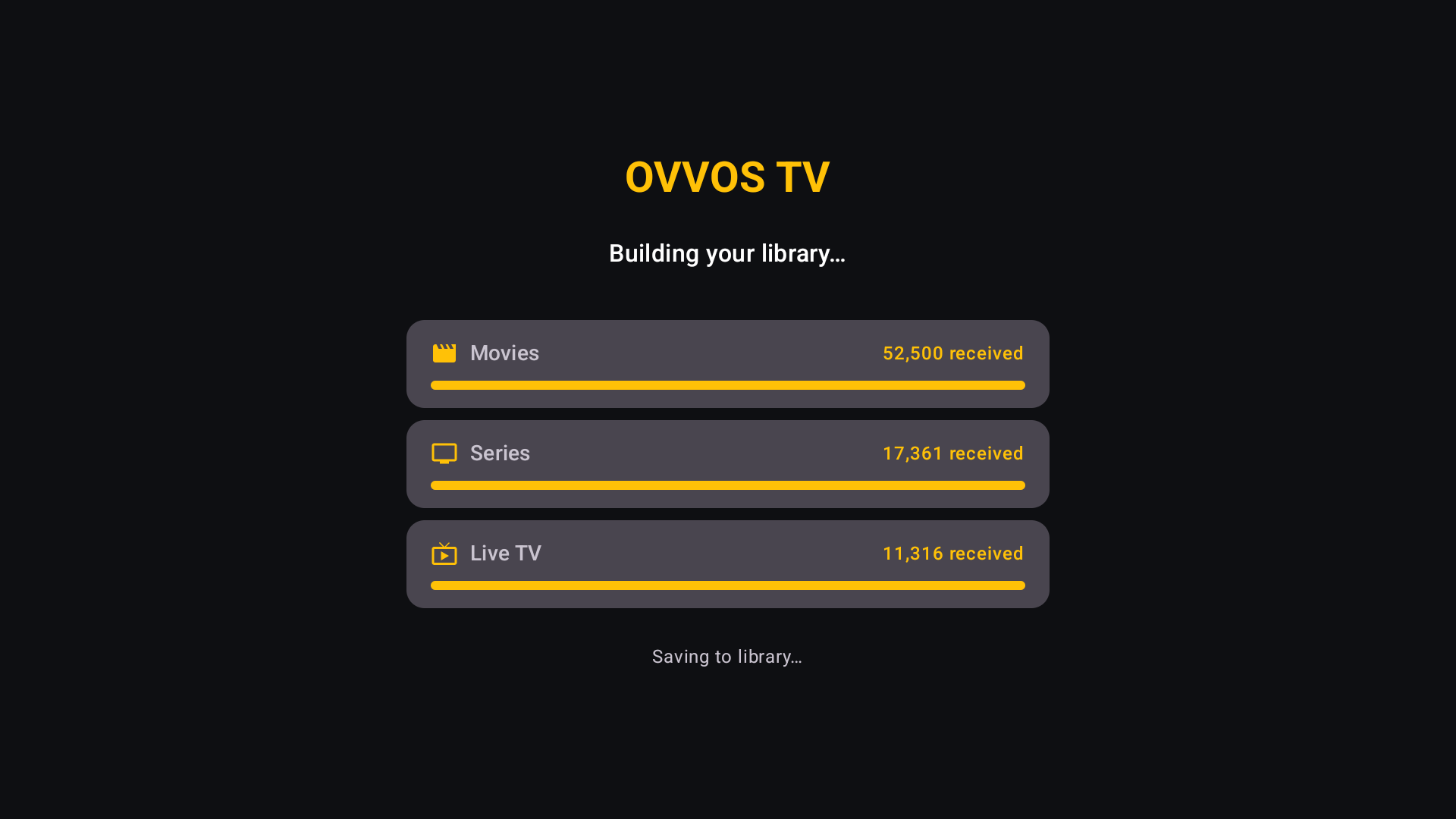 06Your library buildsMovies, series and live channels download with progress bars.
 -
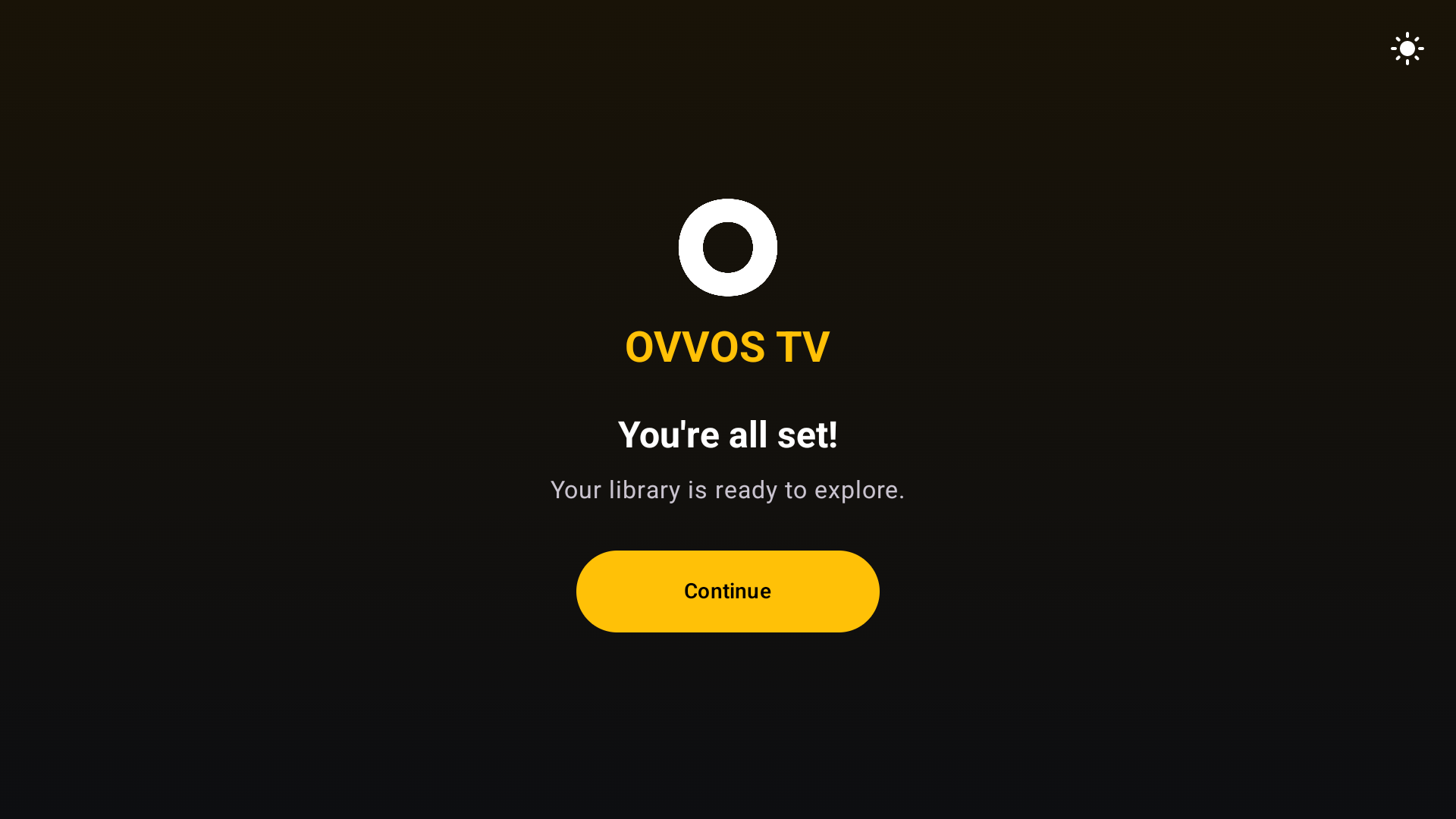 07You're all setYour library is ready to explore.
 -
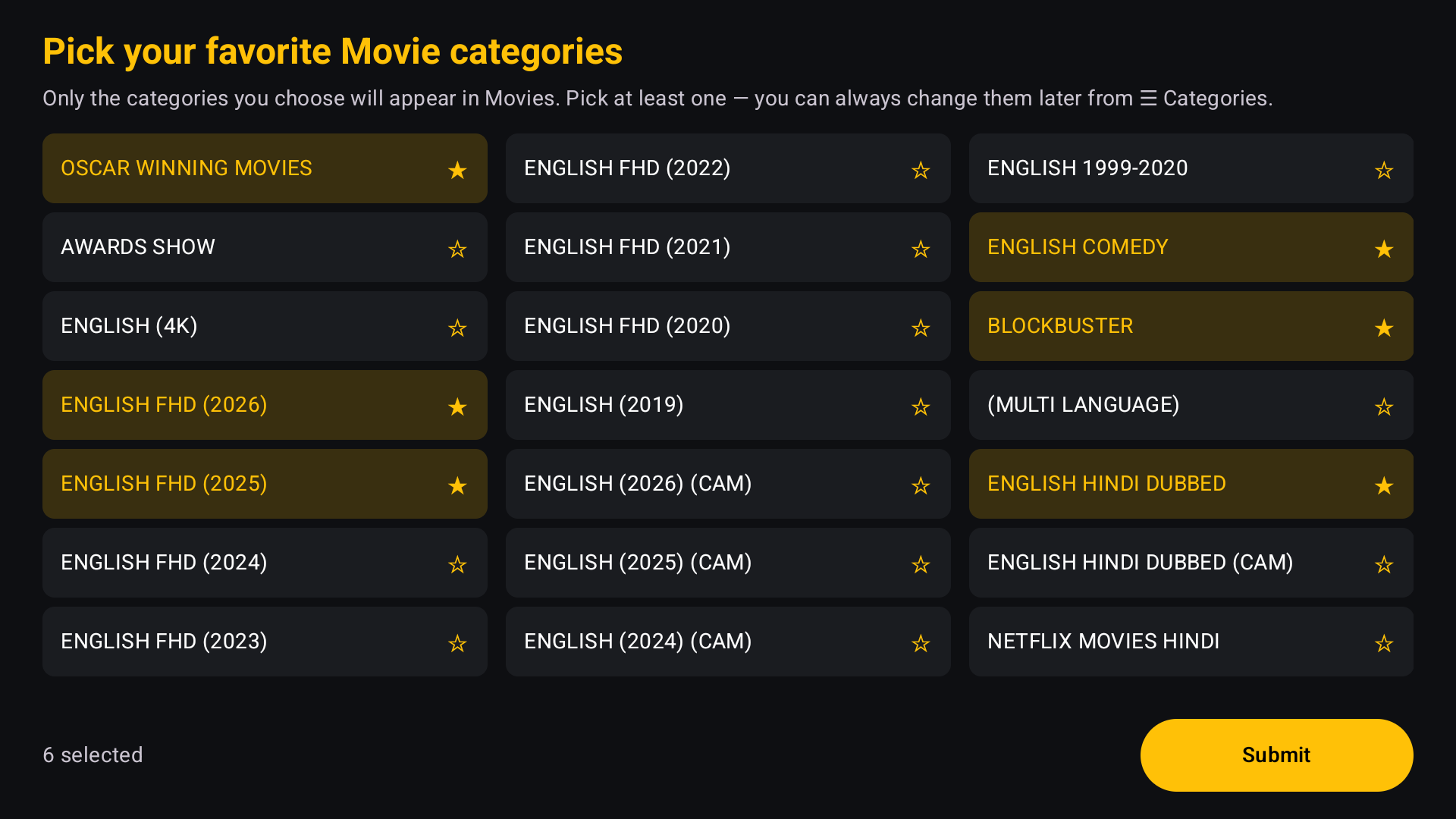 08Pick your categoriesChoose movie, then series categories. Only these are indexed.
 -
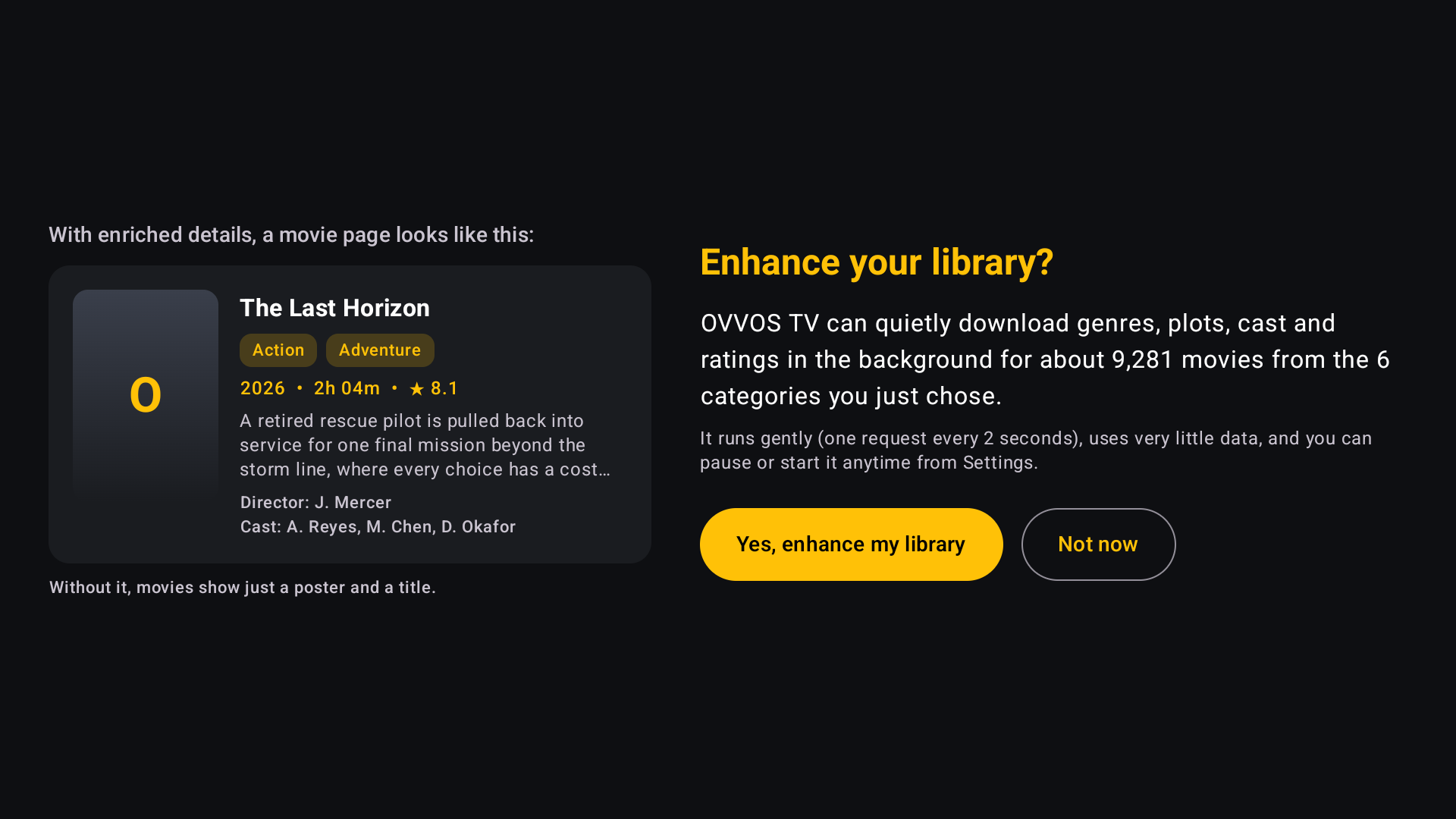 09Enhance your library?Say yes to add plots, ratings and cast quietly in the background.
 -
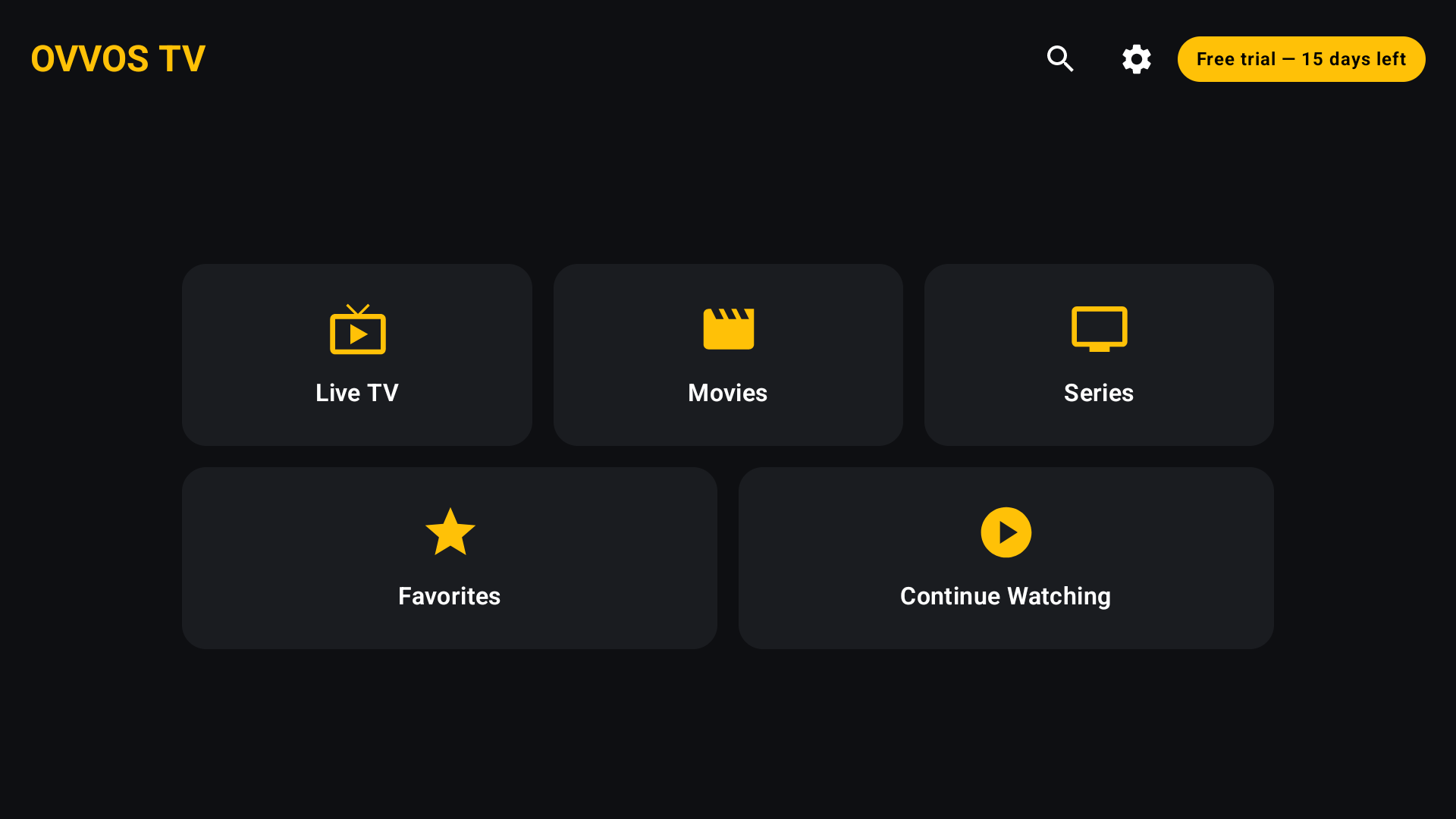 10Start watchingThe home hub opens. Your 15-day trial is shown in the corner.
Need help finding your login? How to log in with Xtream Codes →
Remote tips
Android TV questions
Which TVs does OVVOS TV work on?
Any TV or box running Android TV or Google TV with Android 9 or newer, including Nvidia Shield and Chromecast with Google TV.
Does OVVOS TV work on Fire TV Stick?
Not yet. Fire TV is not supported through Amazon's store. Join the list to tell us you want it.
Does my phone subscription cover my TV?
Yes. One Google Play subscription covers every Android phone, tablet and TV on the same Google account.
Will it run on an older 2 GB box?
Yes. OVVOS TV indexes only the categories you choose, so modest boxes stay smooth.
How many streams can I watch at once?
That is set by your provider, not by OVVOS TV. The app frees the connection the moment you leave a stream.