ON THE BIG SCREEN

Your library, the way it should look.

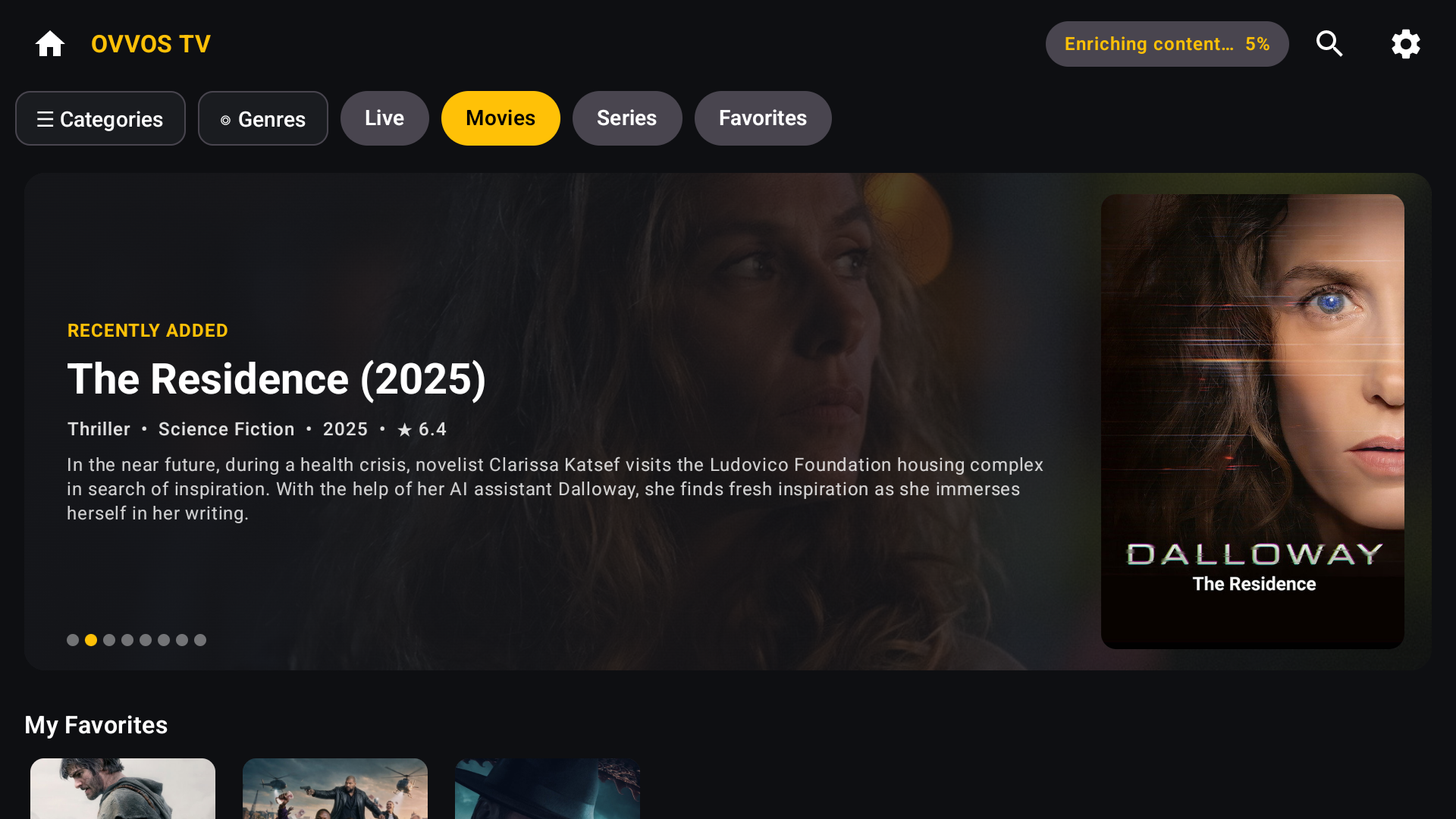
Movies home on Android TV: Recently added banner for The Residence (2025) with genre, year, rating and plot
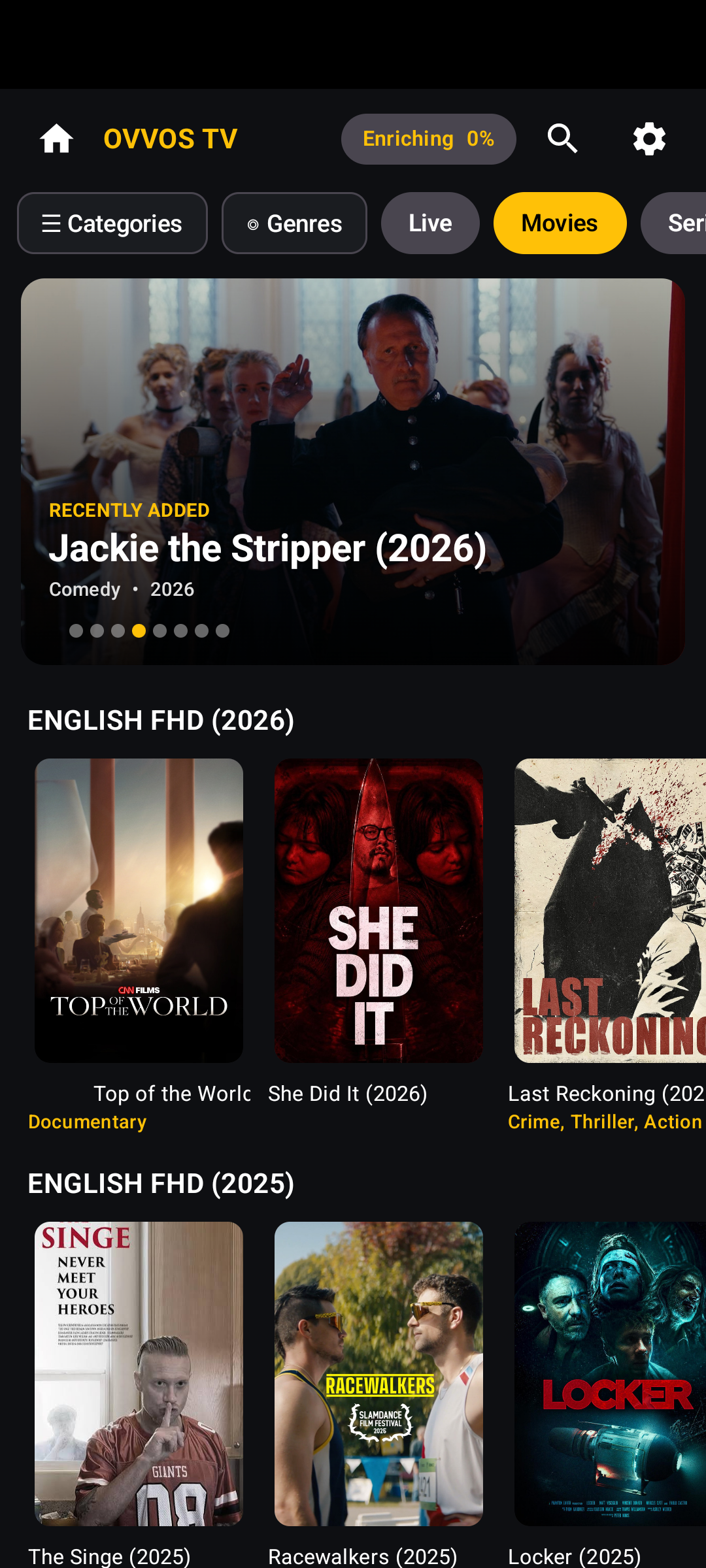
Movies A featured banner of what was recently added in the categories you chose.

IPTV player · New in 1.6.0

Your provider. Finally, a proper app.

Android TV • Google TV • Phone • Tablet

OVVOS TV is an IPTV player for the service you already pay for. Sign in with your Xtream Codes, M3U or Stalker details and get posters, plots, trailers, a live TV guide and a player built for your remote. It includes no channels or content.

▶ Get it on Google Play Windows · Apple — soon

15 days free · no card, no sign-up · then $19.99 a year on Google Play

Bring your own service

OVVOS TV is a player. It includes no channels, films or series. You sign in with the details your own IPTV provider gave you, and OVVOS TV organises and plays what you already have.

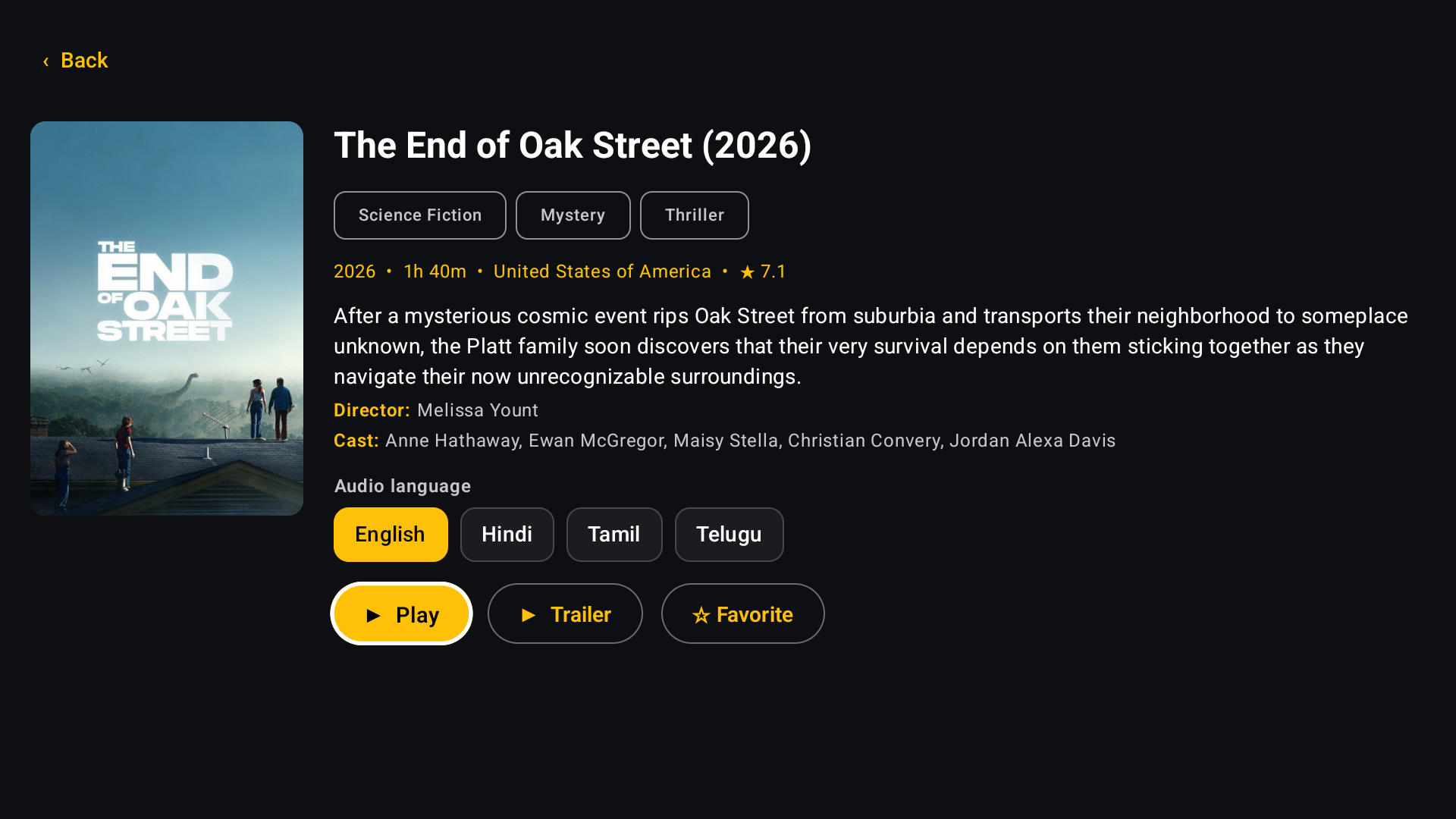
Movie page for The End of Oak Street with genres, year, run time, country, rating, plot, director, cast and Play, Trailer and Favorite buttons

THE INTERFACE

A streaming app, not a channel list.

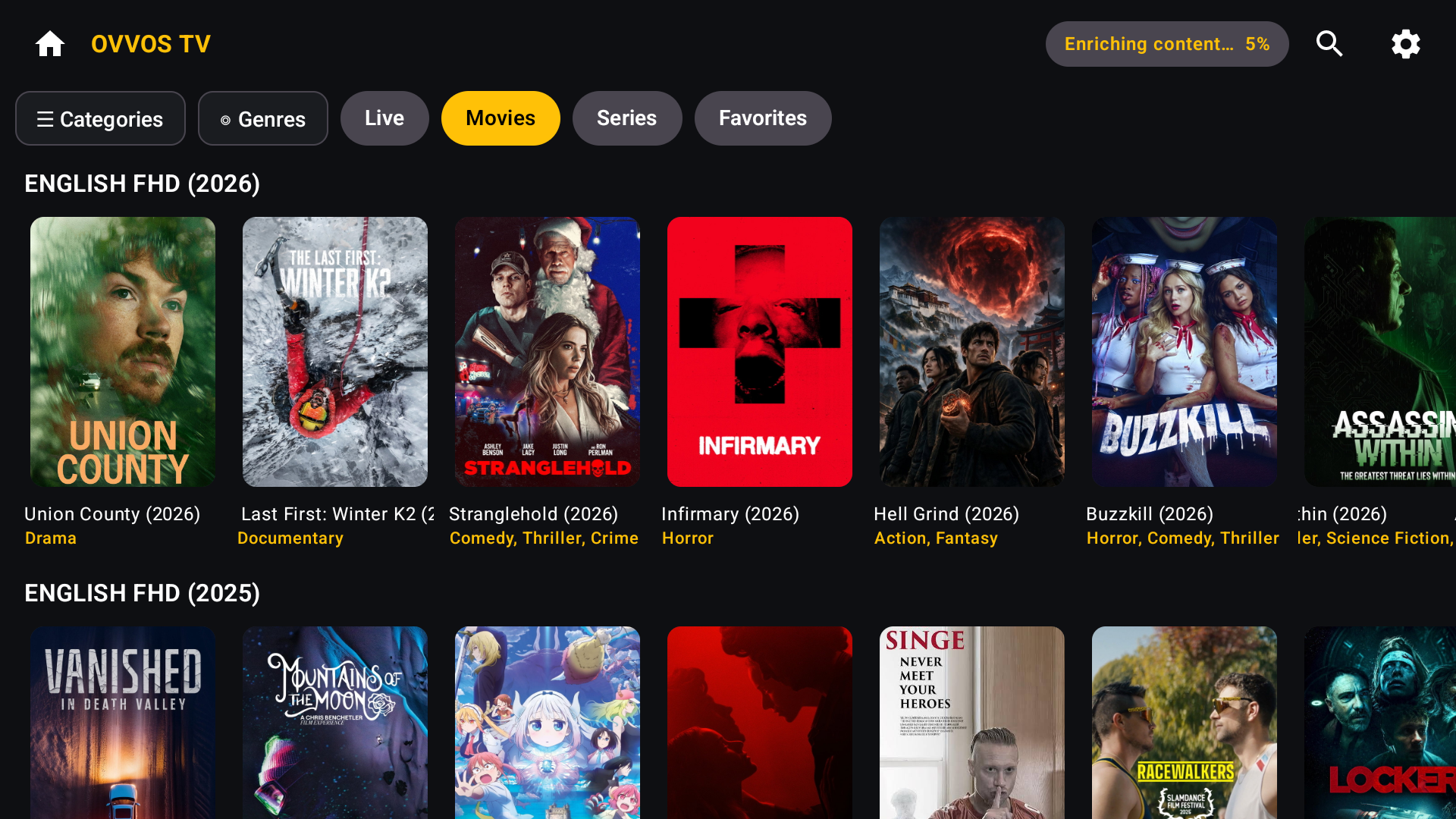
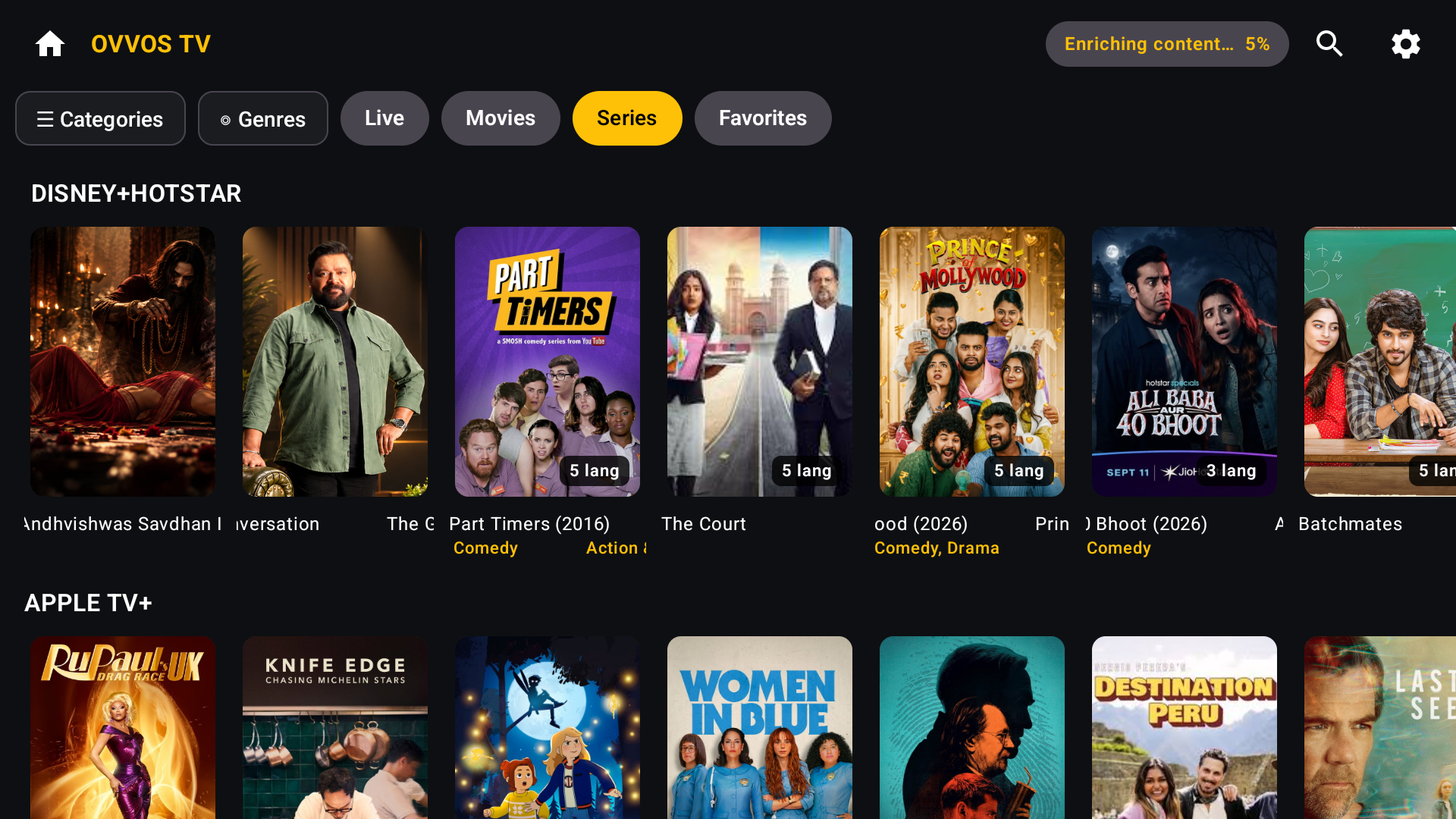
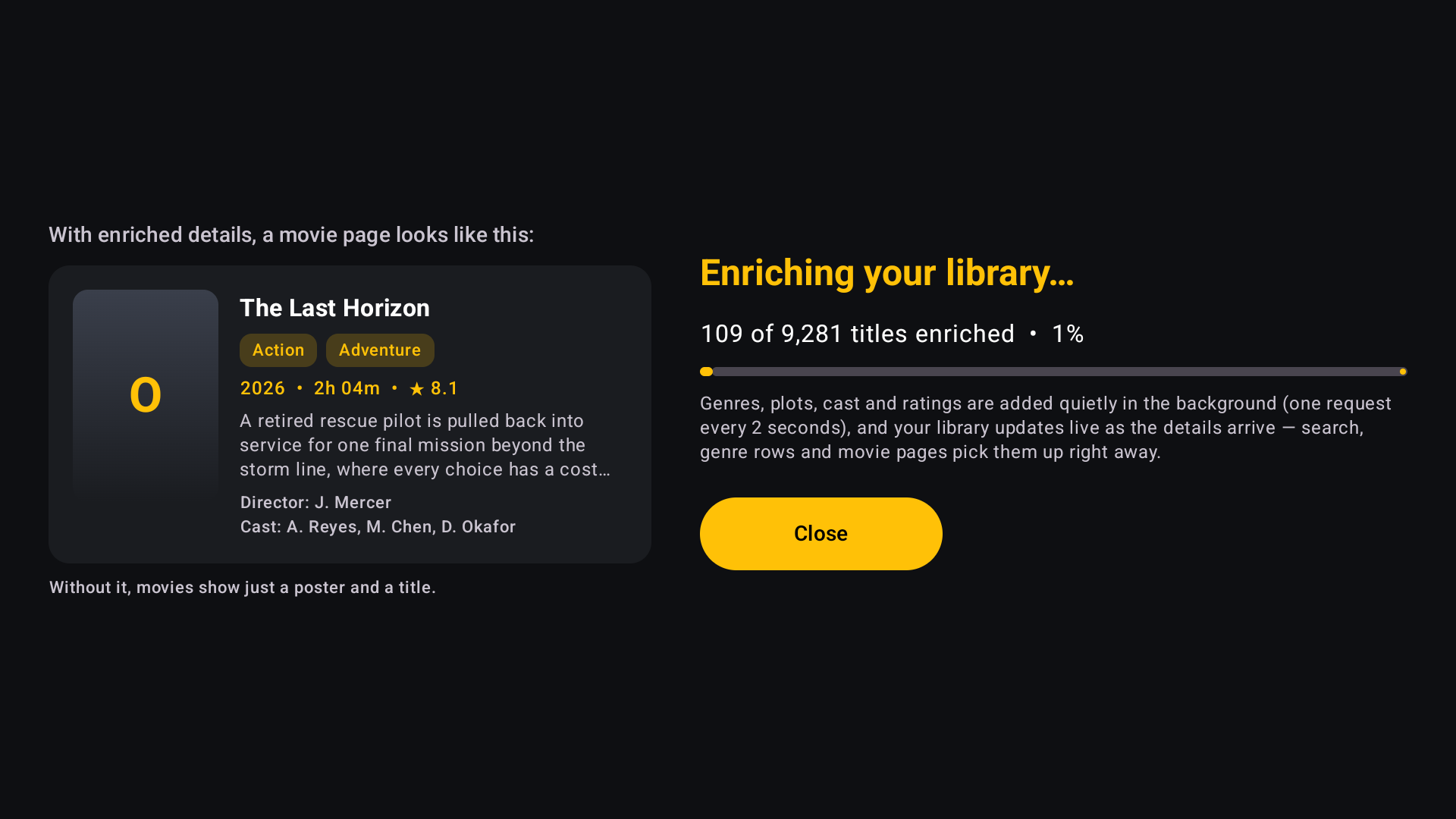
Most IPTV players show your provider's library as plain text lists. OVVOS TV turns it into posters, a featured banner, rows by category and a proper page for every film and series, with plot, cast, rating and trailer.

See only what you care about. Hide the rest.

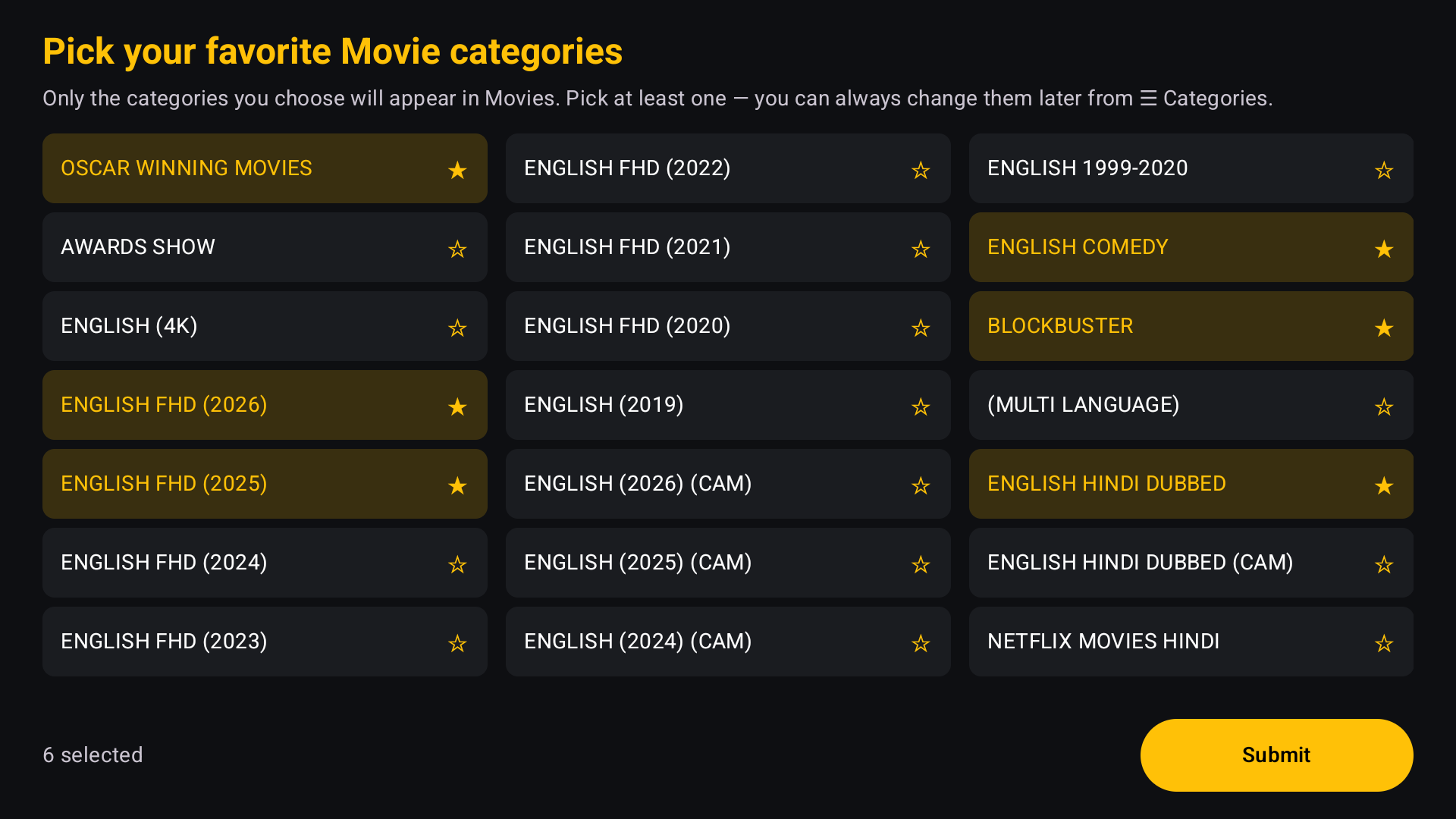
Providers carry thousands of categories from around the world. Choose yours on first launch. OVVOS TV indexes only those, so the library feels personal and even 2 GB boxes stay smooth.

Category picker on first launch: six movie categories chosen and highlighted in gold with stars
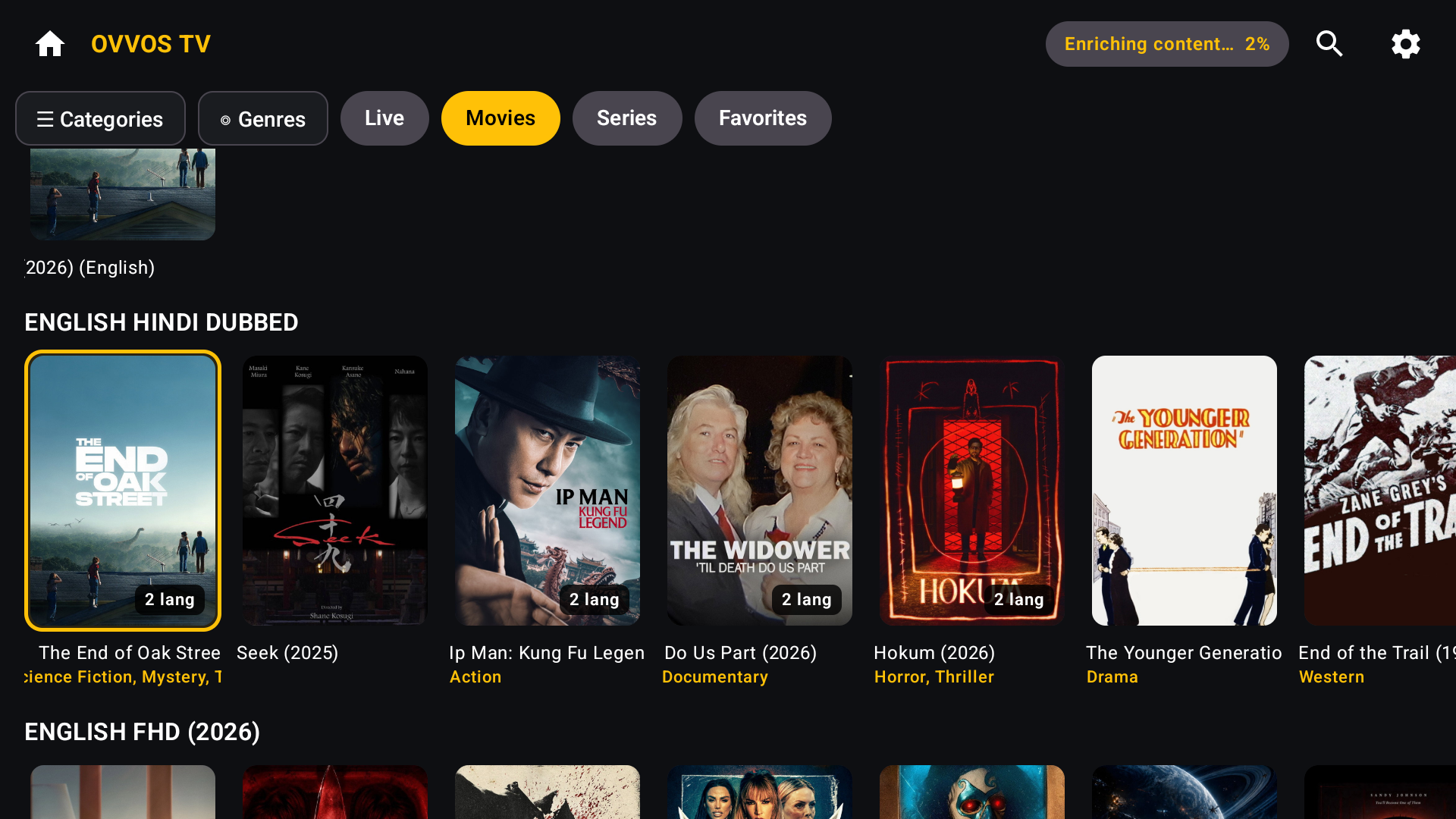
Movie poster rows on Android TV: one card per title with 2 lang badges, genre lines under each poster and the gold focus ring on the first card

NEW IN 1.6.0

One card per title. Every language you have.

Providers list the same film once per audio language. OVVOS TV shows it once, with a badge such as "2 lang". Pick your language on the film's page and the app remembers it.

Built for the remote. Fast on any box.

A clear gold focus ring on everything, Back that works first time, and focus that returns where you left it. On phones and tablets it switches to touch, portrait and landscape.

All features →
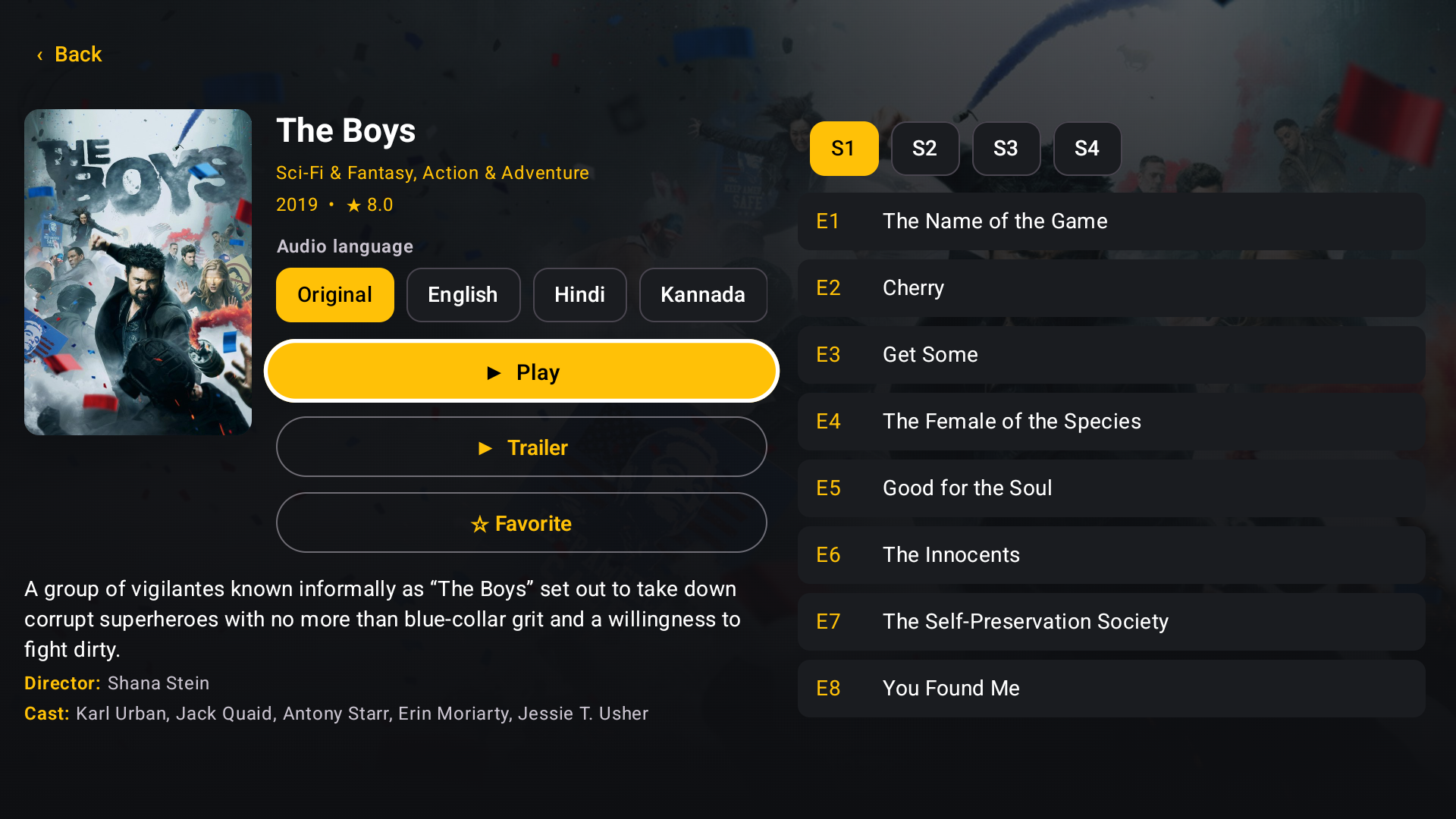
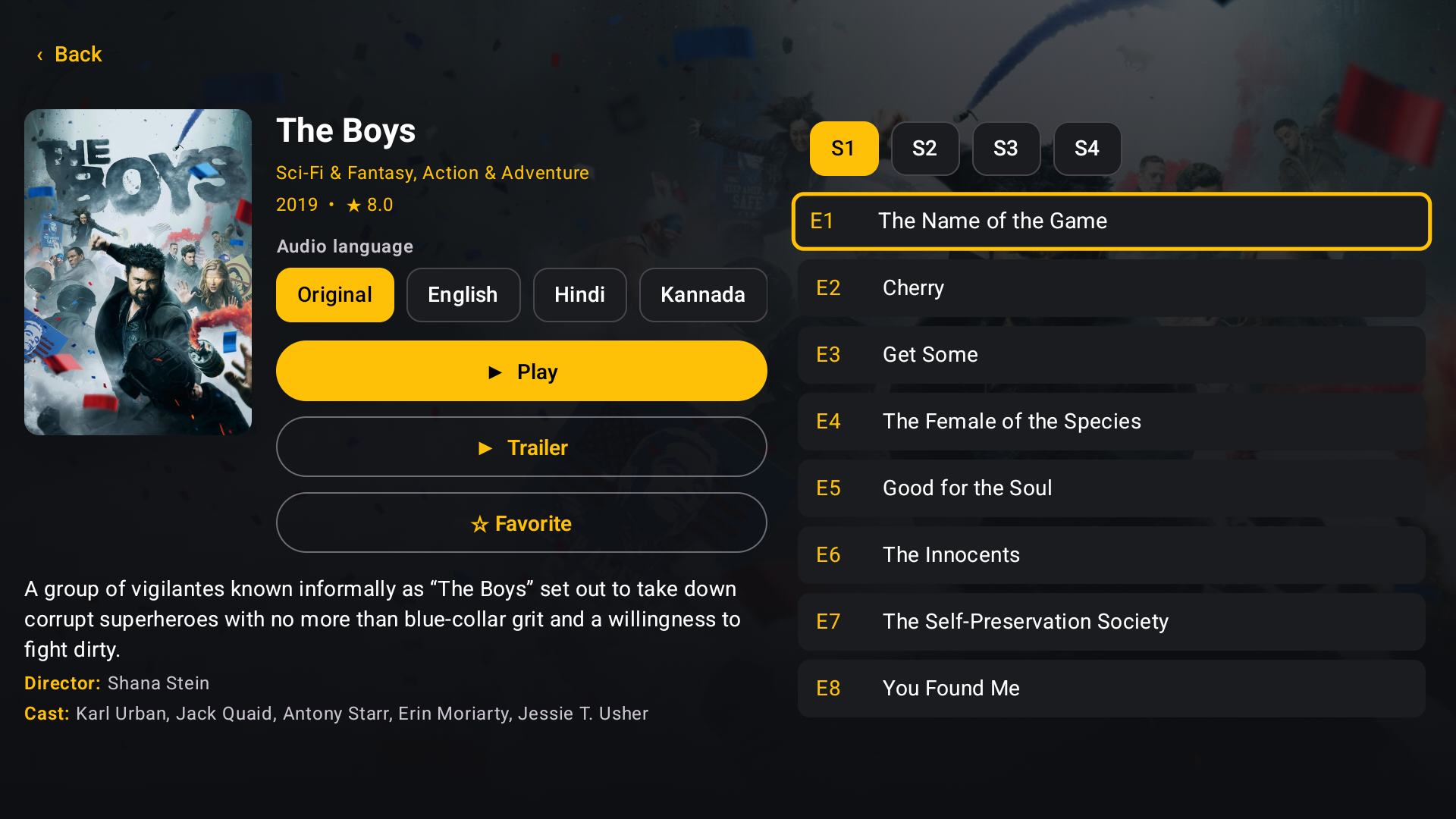
Series page for The Boys on Android TV with the remote's gold focus ring on episode E1, seasons S1 to S4 and audio language chips Movies on an Android phone in portrait: featured banner and three-across poster rows
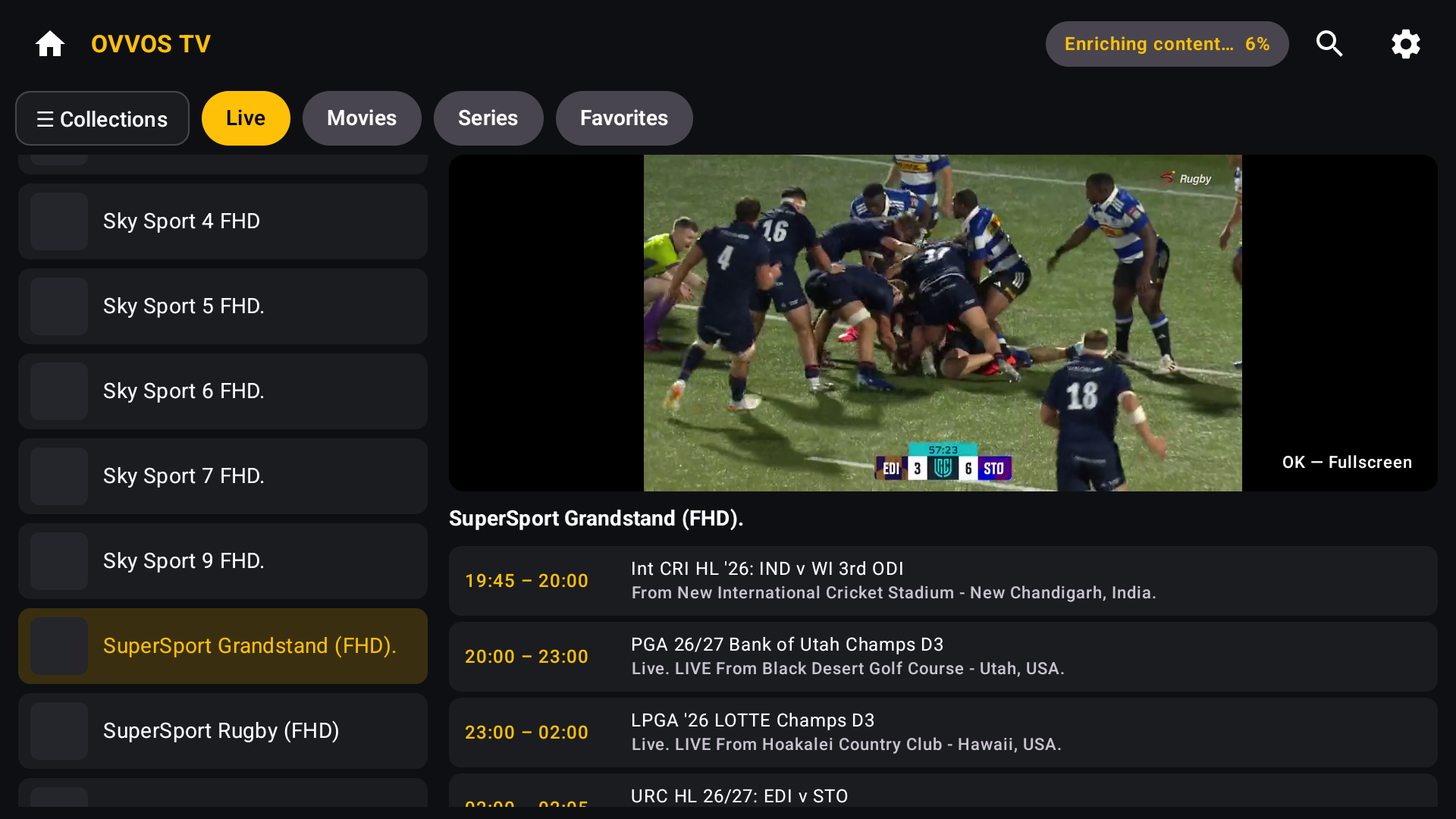
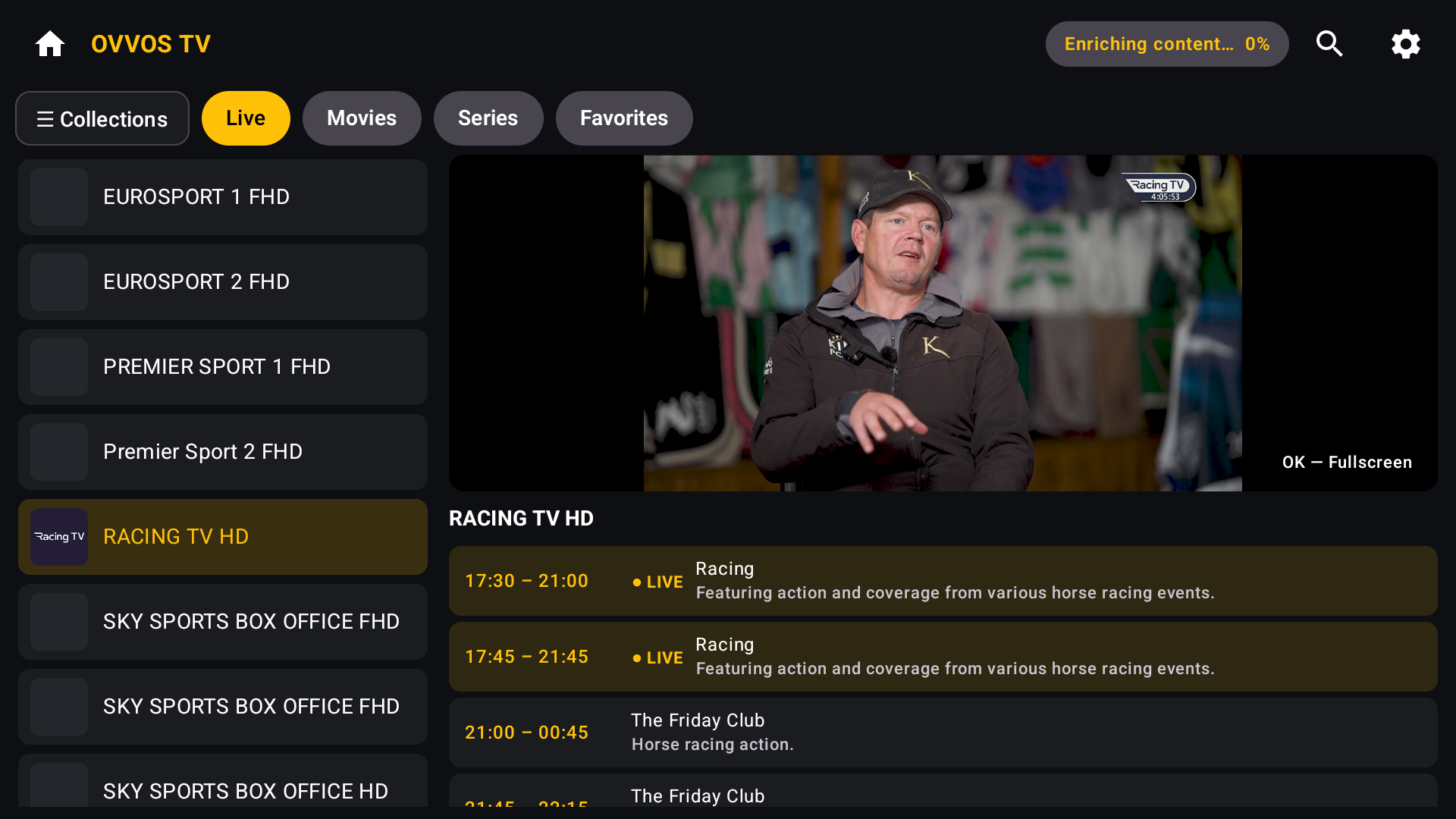
Live TV on Android TV: channel list on the left, live video preview on the right, programme guide below with LIVE markers

Live TV with a guide.

Channel list, live preview and a now-and-next programme guide side by side. Collections to jump between groups. One press for fullscreen.

How OVVOS TV compares

Most IPTV players show your provider's list as it arrives. OVVOS TV indexes and organises it on the device.

FEATURETYPICAL IPTV PLAYEROVVOS TV
InterfacePlain lists of channels and titlesPosters, rows, featured banner and detail pages
Same film in several languagesOne card per language versionOne card per title, language chosen on its page
Thousands of provider categoriesAll shown, every timePick yours on first launch; the rest is hidden
Browse by genreProvider categories onlyGenre pages and genre filters in search
SearchWaits on the providerInstant, on the device, as you type
Film and series detailsTitle and posterPlot, cast, director, rating, run time, trailer
How you install itOften an APK downloadGoogle Play, no sideloading
Ads and trackingVariesNone
Choosing an IPTV player: the full guide →

SAFE AND SECURE

Installed from Google Play. No APK, no sideloading.

Many IPTV players are only offered as APK downloads. OVVOS TV comes from Google Play, with every store protection switched on.

  • Available on Google Play, with all seven Play Store protections active
  • Releases signed by Google Play (Play App Signing)
  • Scanned by Google Play Protect for known security issues
  • Protected against tampered or unofficial copies
  • Installs blocked on risky or compromised devices
  • No ads, no tracking, no analytics. Your login stays on your device.

Devices

AVAILABLEAndroid TV and Google TVAndroid 9 or newer → AVAILABLEAndroid phone and tabletPortrait and landscape → COMING SOONWindowsJoin the list → COMING SOONiPhone, iPad and Apple TVJoin the list →

Works with Xtream Codes, M3U and M3U8 playlists, and Stalker / Ministra portals. TVs running Tizen, webOS, VIDAA, Roku OS or Fire OS are not supported.

PRICING ON ANDROID

15 days free.

Then $19.99 a year through Google Play.

No card, no account, no sign-up. The trial starts the first time you open the app.

One subscription covers every Android phone, tablet and TV on the same Google account. Windows and Apple are sold through their own stores.

Cancel any time in Google Play. Stream limits are set by your provider, not by OVVOS TV.

What happens on day 16 →

Questions, answered.

Still stuck? support@ovvostv.com

Does OVVOS TV include channels or movies?

No. OVVOS TV is a player. It plays the service you already subscribe to with your own provider.

Which providers work?

Any provider that gives you Xtream Codes login details, an M3U or M3U8 playlist link, or a Stalker / Ministra portal.

Is there a free trial?

Yes. 15 days, with no card and no sign-up. It starts the first time you open the app.

What does it cost after the trial?

On Android, $19.99 a year through Google Play. You can cancel any time in Google Play.

Does one subscription cover my phone and my TV?

Yes, on Android. One Google Play subscription covers every Android phone, tablet and TV on the same Google account. Windows and Apple devices are purchased through their own stores.

Why do I see one card for a film my provider lists in several languages?

OVVOS TV groups the language versions of the same title. Open it and pick your language on its page. You can turn grouping off in Settings.

Can I use it on Fire TV, Samsung, LG, Hisense or Roku?

Only if the TV runs Android TV or Google TV. Fire TV, Tizen, webOS, VIDAA and Roku OS are not supported; join the list to tell us which device you want.

Is my login private?

Yes. Your server address, username, password, history and favourites stay on your device. OVVOS TV never receives them.